Download Textley for Mac.
A native editor for code, text, and Markdown. Free, with no account.
Free software. Supported by people.
I build Textley on my own, and every feature is free. If it earns a place in your Dock, a coffee helps me keep it going.
Buy me a coffeeTips are entirely optional.
Help improve Textley
Found a bug or have an idea? I’d love to hear it.
Send feedback
Textley for Mac.
Version 1.1.3 for Apple silicon, on macOS 14 or later. No account, no trial, nothing to unlock.
Download for MacSigned by Protomota · Notarized by Apple · Signed automatic updates Signed · Notarized · Auto-updates
How to install Textley
- Open the disk image. Double-click
Textley-1.1.3.dmgin Downloads. Drag Textley onto Applications, then eject the disk image.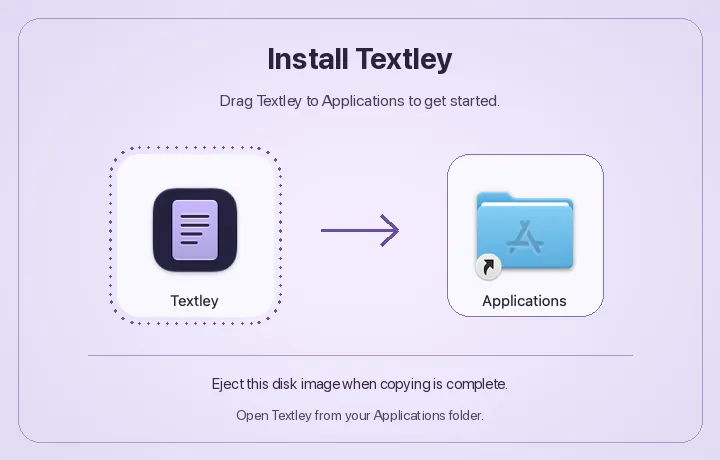
Drag Textley onto Applications. - Launch Textley from Applications. If macOS asks for confirmation, choose Open. A new document is ready to type in.
- Open a folder. Choose File → Open Folder… to add a project or notes folder to the sidebar. Open as many folders as you like; files open as tabs.
- Connect your agents (optional). In Textley → Settings → Integrations, turn on MCP access to let Claude Code, Codex, or Claude chat work with your open files. Agent setup guide
Textley checks for updates in the background and installs signed updates automatically. You can turn that off in Settings → Editor → Updates, or choose Textley → Check for Updates… at any time.
Verify your download
In Terminal, run shasum -a 256 ~/Downloads/Textley-1.1.3.dmg and compare the result with this SHA-256 checksum.
ad9fea7397a7aff872460a5b9a05776a8b7249d37da4f942f56303845141ba99